Enable the custom meeting UI
To use the custom meeting UI, enable the feature before starting or joining a meeting.
ZoomSDK.getInstance().getMeetingSettingsHelper().setCustomizedMeetingUIEnabled(true);
To listen for In-Meeting events, register or
unregister the InMeetingServiceListener function:
InMeetingService mInMeetingService = ZoomSDK.getInstance().getInMeetingService();
//Register
mInMeetingService.addListener(this);
//Unregister
mInMeetingService.removeListener(this);
Create a custom meeting UI
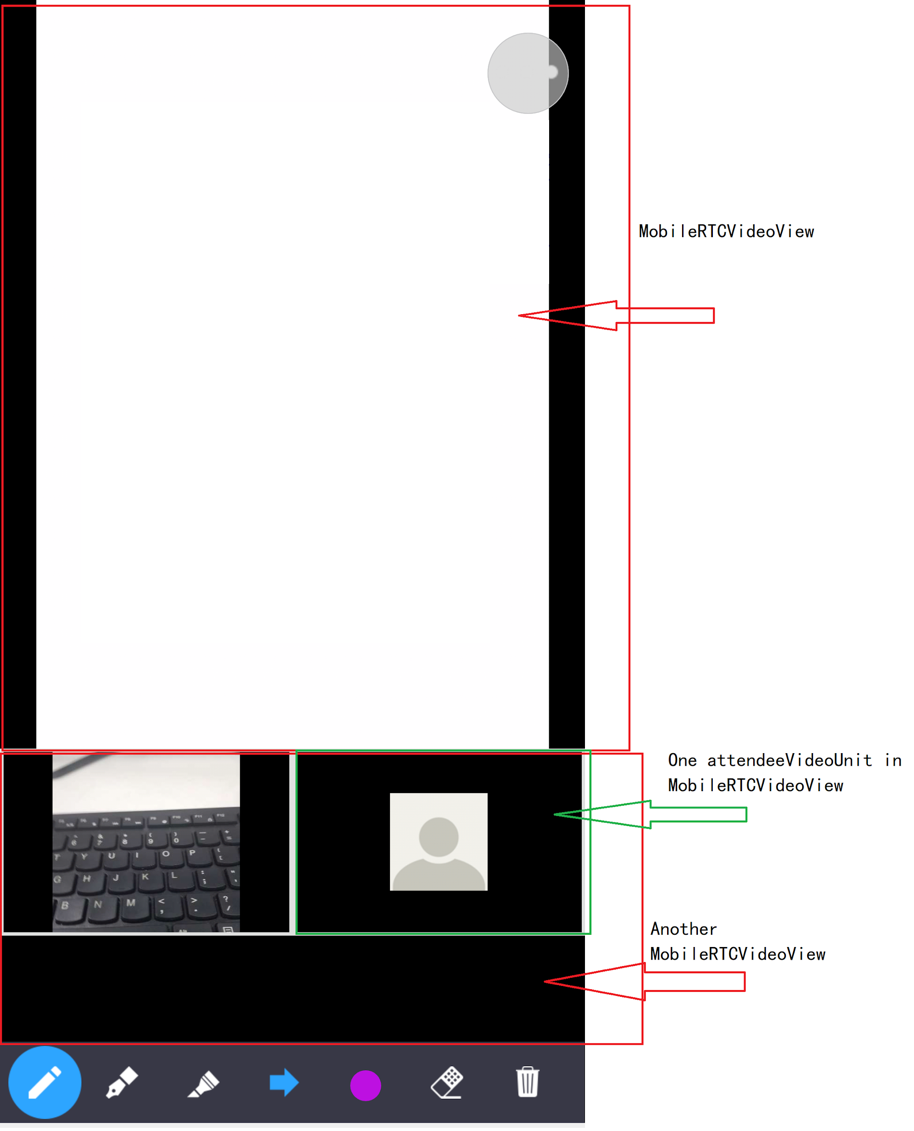
Our customizable view is called MobileRTCVideoView. Implement the
MobileRTCVideoView function in the code layout. The Meeting SDK interface
uses the MobileRTCVideoView function as the video container.
<activity
    android:name="us.zoom.sdksample.inmeetingfunction.customizedmeetingui.MyMeetingActivity"
    android:configChanges="screenSize"
    android:theme="@style/ZMTheme.SubWindow"
    android:screenOrientation="portrait"/>
Note:
Do not include
MobileRTCVideoViewin a layout that will be inflated outside of a meeting. It is only meant to be used while in a meeting, so inflating it when not in a meeting may cause undesirable behavior.
Use the MobileRTCVideoView interface getVideoViewManager() to get
the manager object MobileRTCVideoViewManager for the video view.
mGalleryVideoView = (MobileRTCVideoView)mGallerySenceView.findViewById(R.id.galleryVideoView);
MobileRTCVideoViewManager mGalleryVideoViewMgr = mGalleryVideoView.getVideoViewManager();
Use the MobileRTCVideoViewManager function to add, remove, update, and
destroy the video unit in MobileRTCVideoView.
MobileRTC video view manager interfaces
| Modifier and Type | Method and Description |
|---|---|
| boolean | addActiveVideoUnit (MobileRTCVideoUnitRenderInfo renderInfo) - Add a active video unit in the VideoView. |
| boolean | addAttendeeVideoUnit (long user ID, MobileRTCVideoUnitRenderInfo renderInfo) - Add a attendee video unit on the VideoView. |
| boolean | addPreviewVideoUnit (MobileRTCVideoUnitRenderInfo renderInfo) - Add preview video unit in the VideoView. |
| boolean | addShareVideoUnit (long user ID, MobileRTCRenderInfo renderInfo) - Add a share video unit in the VideoView. |
| void | destroy () - Call this API to release resource, the VideoView will unable to add video unit. |
| void | removeActiveVideoUnit () - Remove active video unit in the VideoView. |
| void | removeAllAttendeeVideoUnit () - Remove all attendee video unit in the VideoView. |
| void | removeAllVideoUnits () - Remove all video units in the VideoView. |
| void | removeAttendeeVideoUnit (long user ID) - Remove a attendee video unit in the VideoView by user's ID. |
| void | removePreviewVideoUnit () - Remove preview video unit in the VideoView. |
| void | removeShareVideoUnit () - Remove share video unit in the VideoView. |
| void | updateActiveVideoUnit ( MobileRTCVideoUnitRenderInfo renderInfo) - Update active video unit render information on the VideoView. |
| void | updateAttendeeVideoUnit (long user ID, MobileRTCVideoUnitRenderInfo renderInfo) - Update a attendee video unit render information on the VideoView by user's ID. |
| void | updatePreviewVideoUnit ( MobileRTCVideoUnitRenderInfo renderInfo) - Update preview video unit render information on the VideoView. |
| void | updateShareVideoUnit ( MobileRTCRenderInfo renderInfo) - Update share video unit render information on the VideoView. |
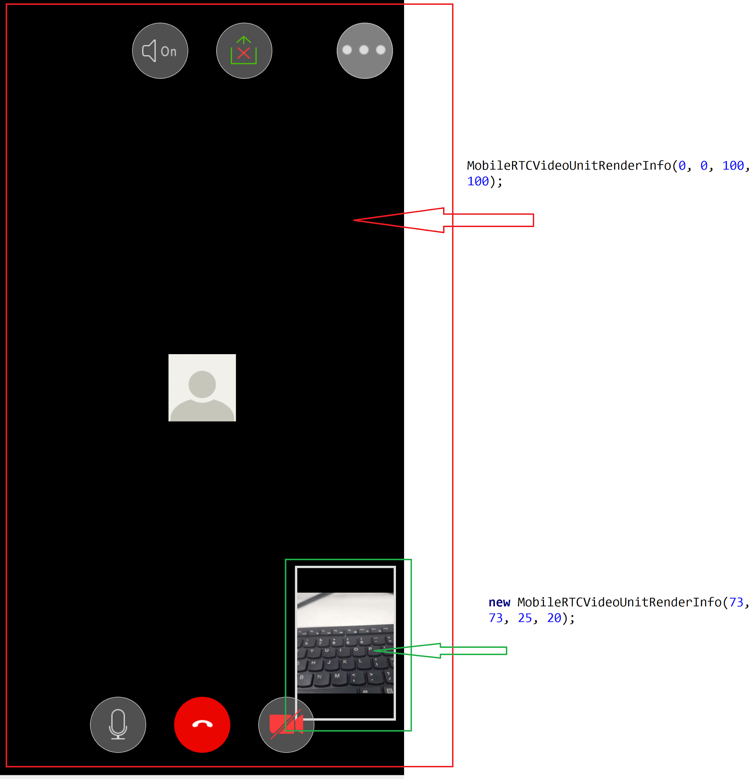
MobileRTCVideoUnitRenderInfo
| int | aspect_mode - Video unit aspect mode defined in the MobileRTCVideoUnitAspectMode class. Default is original. |
|---|---|
| int | background_color - Video unit background color. Default is black. |
| boolean | is_border_visible - Show video border on video unit. Default is false. |
| boolean | is_show_audio_off - Show user's audio status on video unit. Default is false. |
| boolean | is_username_visible - Show user's name on video unit. Default is false. |
We will cover details of those methods in later sections.