The SDK Key and Secret in the Zoom App Marketplace are deprecated. Use the Client ID and Client Secret instead.
Follow these steps to update your JWT signature to use the Client ID and Client Secret.
-
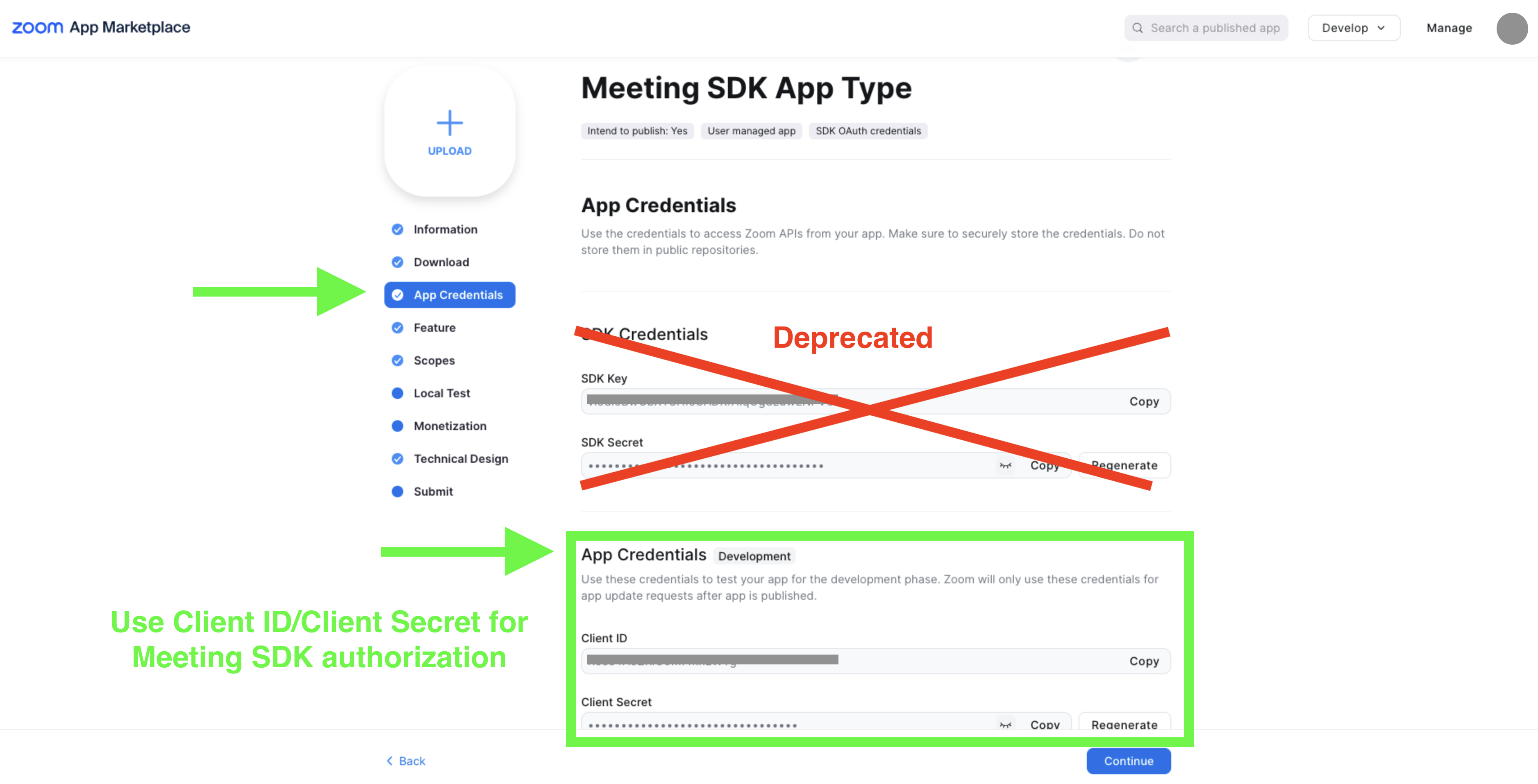
Get your app credentials - Log into the Zoom App Marketplace, go to Manage, select your Meeting SDK app, click App Credentials, and copy your Client ID and Client Secret in the App Credentials section, under the SDK Credentials section for your app. See the screenshot for details.
-
Update your signature generation - Replace your SDK Key and SDK Secret with the Client ID and Client Secret in your signature generation, most likely in your environment variables.
-
For the Meeting SDK for web only, remove the
sdkKeyvalue from thejoinfunction as it is no longer required and will cause errors in future versions. -
Test your changes - Verify that you can start and join meetings and webinars.
Meeting SDK app credentials
The following screenshot shows where you can find your Client ID and Client Secret.
Conversion to general app
Your SDK app may offer, or may have already undergone, a one-time conversion to the new general app UI. If your app has been converted into a general app, you'll see the app credentials on the App Info page.
If your app is already published and you do not see Start Conversion, click Publish Updates to submit an update request and begin the conversion process.
Following conversion, the old SDK Key and SDK Secret will no longer be displayed. This is only a cosmetic change. Your app functionality is not affected. If you encounter issues during conversion, contact Support.