Authorization URL FAQ
What are Authorization URLs and what do they do?
For security reasons, we limit the sharing of beta apps: we do not allow beta apps to be published to the Zoom Marketplace, and we restrict beta app access to only members of the developer's Zoom account. To enable developers to test their beta integrations with external Zoom accounts, we provide authorization URLs that you can share with your external users to provide limited access to your beta app.
For more information, see Sharing Private and Beta Apps.
In what scenario would a developer need an authorization URL?
Developers wanting to test their beta Zoom integrations with external Zoom accounts.
What are the requirements for an authorization URL?
Ensure all of the following requirements are met before submitting your request.
-
Complete the Technical Design part of the app build flow.
Required information
If you answer "Yes" to any questions in the Application Development section, you must provide supporting documentation.
-
Supporting evidence for information provided in the TDD.
-
Provide these resources in the technical design section of the build flow.
For details, see Requesting an authorization URL.
How long does it take to get an authorization URL?
72hrs - once all requirements have been met. After we finish the review of your supporting security evidence, you either receive an approval or a rejection with reasons from the security team. Please be on the lookout for messages in the Notes for your app or in your email.
How do I share the authorization URL?
After you receive the approval from Zoom to share the authorization URL, you can share the URL with your beta testers. There is no mechanism in the build flow to distribute the URL. You can use email or any method of your choice to share the URL.
Why is my authorization URL not working?
You might see the following error messages when an approved authorization URL is not allowing you, or a user on your account, to add your app:
This app has reached the maximum number of test installs.

You have reached the approved number of additions for your app. The standard number of additions allowed for a beta account-level application is 10, and the standard number of additions allowed for a beta user-level application is 100.
The app developer can send a request to Zoom to increase the limit by contacting marketplace.security@zoom.us and providing a reason for requesting an increase.
For more information, see Requesting to share an authorization URL.
Unable to install this app without the developer's account.

This message actually means your authorization URL is expired and is currently inactive. The app developer needs to Renew the Authorization URL.
How do I keep my app for internal organization use only?
See Sharing Private and Beta Apps.
How do I request an increase in the subscriber limit?
You can request an increase the same way you requested the initial authorization URL. You must submit an Authorization URL Sharing request and specify the increased subscriber limit. We review extensions within 24hrs.
How does a developer request an extension?
We issue authorization URLs for a period of 4 weeks after which you can request two additional 4-week extensions.
To request extensions for expired authorization URLs: in your app build flow, go to the Submit page, and under Authorization URL, click Request Extension.
Can I beta test indefinitely?
Unfortunately, no. With the initial submission plus the 2 extensions, developers gets 90 days to complete their testing.
How do I publish my app to the Marketplace?
See Publishing an App.
Testing updates to published apps
After you publish your beta app, the authorization URLs become invalid.
To test unpublished changes to your app, use the development version of the app locally.
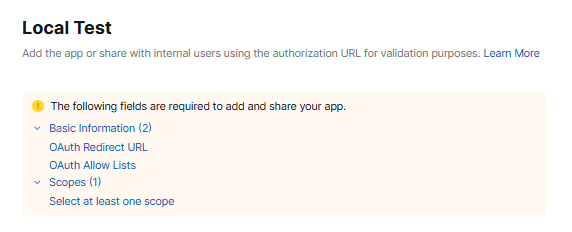
At the top of your app's build flow, select Development, and in the left navigation pane select Local Test.