The Zoom Chat App Card Builder provides code blocks and templates you can use to quickly create app cards for Zoom Chat.
User interface controls
Figure 1 shows the App Card Builder user interface. You can see the controls available highlighted in red.
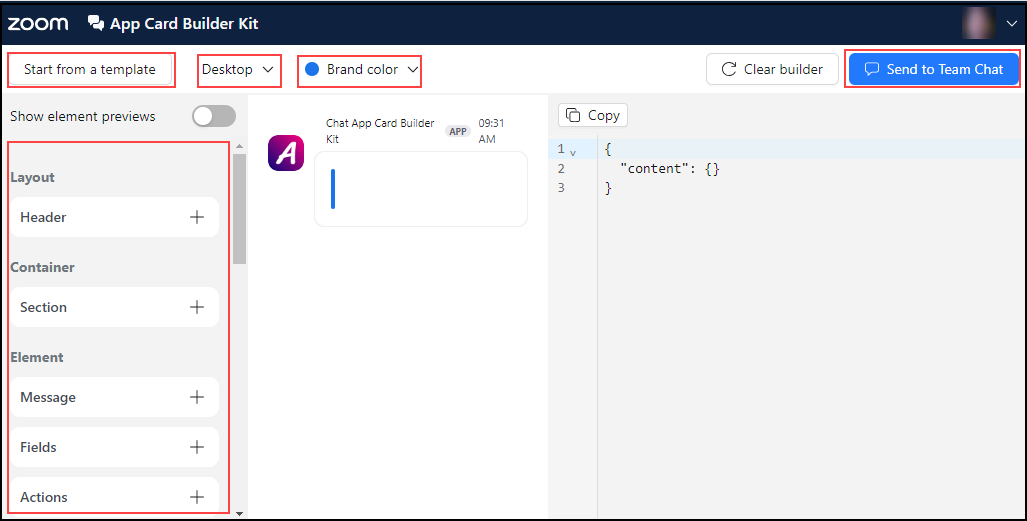
Figure 1: App Card Builder user interface
| Control | Description |
|---|---|
| Start from a template | Offers two templates: common and form. |
| Desktop/Mobile | Provides the best display for either desktop or mobile. |
| Brand color | Adds a default sidebar color. |
| Send to Zoom Chat | Sends an app card to a Zoom Chat. |
Code blocks
You can drag and drop the available code blocks on the preview area or use one of the templates to create the code structure for your app.
Figure 2 shows the App Card Builder user interface with the grab hand cursor. You can see the code display on the right side of the screen.
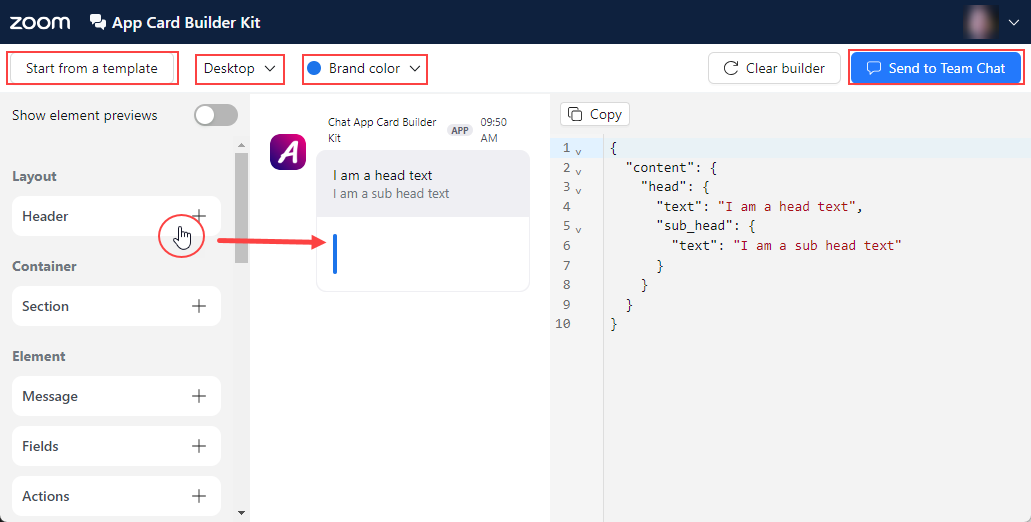
Figure 2: App Card Builder with grab hand cursor
This table describes the major elements of the App Card Builder user interface.
| Element | Description |
|---|---|
Header | Adds header or sub-header text. |
Sections | Adds the following code blocks:
|
Actions | Adds the following code blocks:
|
Elements | Adds the following code blocks:
|
Markdown | Markdown blocks must be placed within a message block.
|
Rich Text | Rich text blocks must be placed within a message block.
|