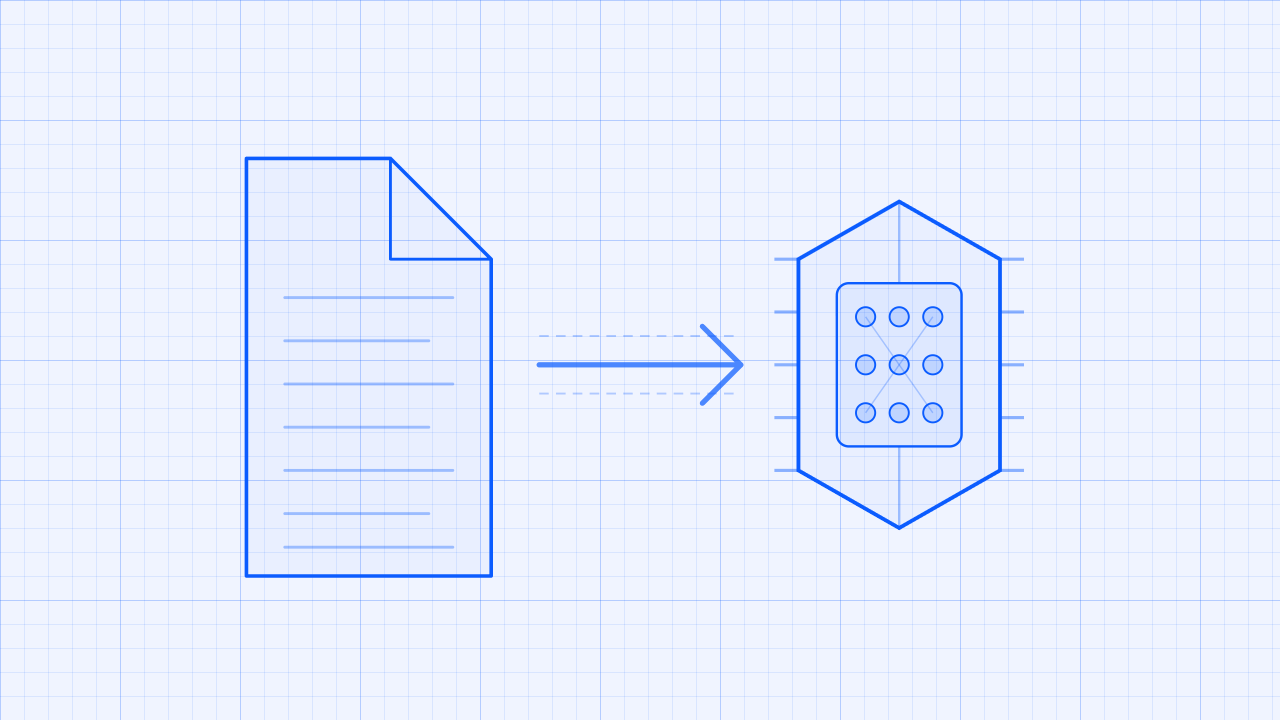
Build a live analysis path that turns meeting speech into useful answers while the conversation is still happening. A support lead can investigate an objection immediately. An operations team can flag a risk while the people in the meeting can still explain it.
Zoom Realtime Media Streams (RTMS) sends live transcript text to your backend without adding a bot to the participant list. You choose the AI provider, write the prompt, decide how much conversation to include, and choose where the answer goes. This Blueprint includes paths for OpenAI and Anthropic , but the design is not tied to either provider.
The transcript is only the starting point. Change the prompt, send the answer to a CRM, start an automation, or show recommendations in your own app.
What you'll need:
- A Zoom Developer Pack with RTMS transcript access
- A backend that can receive webhooks and maintain one session per RTMS stream
- An OpenAI or Anthropic account, or another approved model provider
- A destination for the results, such as a dashboard, CRM, or automation
Features
- Receive live transcript segments without adding a meeting participant.
- Keep Zoom and model-provider credentials on the backend.
- Send each OpenAI request with a defined prompt and one transcript segment.
- Preserve Claude conversation history when that behavior is wanted and bound it before production use.
- Keep model errors from interrupting the RTMS stream.
- Route the answer to a destination the customer controls.
Follow along as we walk through the architecture.
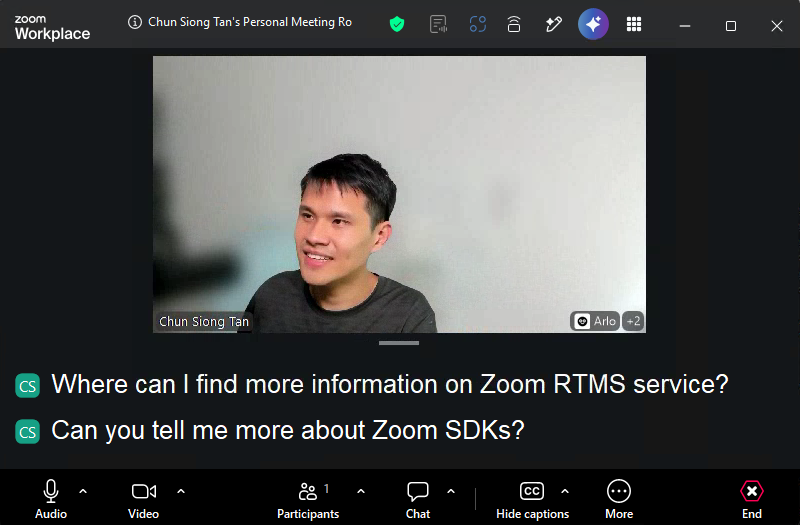
The reference implementations show the live Zoom Meeting transcript and the model response produced from that transcript.

Architecture
The reusable pattern
When RTMS starts, Zoom sends an event to your webhook. Your backend connects to RTMS and listens for transcript text. A production implementation collects enough conversation for the task, sends bounded context to the chosen model, and forwards the answer to an app or business system.
Keep provider credentials on the server. Never expose them in a browser or commit them to source control.
How the reference implementation handles it
The linked RTMS reference implementations use Node.js, Express, and RTMSManager. Both call the provider for each incoming transcript event and write the answer to the server console. The OpenAI path sends one segment without history. The Anthropic path appends every user segment and assistant response to a process-wide chatHistory array with no size limit. Neither path delivers answers to a CRM, dashboard, automation, or frontend.
flowchart LR
    A[Zoom Meeting] -->|Live transcript via RTMS| B[Node.js RTMS service]
    B -->|Transcript event| C[Provider context: one segment or process history]
    C -->|Provider request| D{Configured LLM}
    D -->|OpenAI or Anthropic response| E[Server console in reference implementation]
    E -.->|Customer extension| F[CRM, dashboard, automation, or app]
Agent integration map
Check what your application already provides before adding components:
| Required capability | Reuse when present | Add when missing |
|---|---|---|
| Webhook endpoint | Existing public API route | HTTPS endpoint for RTMS lifecycle events |
| Signature verification | Existing Zoom webhook middleware | Raw-body HMAC verification and replay protection |
| RTMS session manager | Existing stream registry | State keyed by rtms_stream_id |
| Transcript context | Existing conversation store | Bounded per-meeting segment buffer |
| Model client | Existing approved AI provider | OpenAI, Anthropic, or equivalent adapter |
| Result delivery | Existing CRM, queue, or UI integration | Destination adapter with retry and idempotency |
Implementation Guide
Part 1: Build the transcript pipeline
1. Connect transcript events to a provider boundary
The RTMS repository contains two equivalent starting points:
| Provider | Reference code |
|---|---|
| OpenAI | transcript/send_transcript_to_openai_js |
| Anthropic | transcript/send_transcript_to_claude_js |
Both implementations register the provider call on RTMSManager's transcript event. See send_transcript_to_openai_js/index.js for the Node.js implementation. A different language or framework still needs the same lifecycle event, transcript handler, provider boundary, and failure isolation.
2. Create a Zoom General App
Create a General App in the Zoom App Marketplace . Give it permission to read RTMS transcripts, then subscribe your public webhook to the RTMS start and stop events.
| Setting | Value |
|---|---|
| Scope | meeting:read:meeting_transcript |
| Events | meeting.rtms_started, meeting.rtms_stopped |
| Webhook URL | https://YOUR_DOMAIN.example.com/webhook |
Enable RTMS for the account and for the meeting used in the test. Import manifest.json as a starting point, then verify it in Marketplace before publishing.
3. Accept the webhook quickly
Check that every webhook request really came from Zoom and reply to it right away. Start the RTMS connection after sending the reply. Never make Zoom wait while you call the AI provider. Reject requests with an invalid signature or secret token.
Keep signature verification concrete because it protects the entry point:
import crypto from 'node:crypto';

function verifyZoomWebhook(rawBody, timestamp, signature, secret) {
  const now = Math.floor(Date.now() / 1000);
  if (Math.abs(now - Number(timestamp)) > 300) return false;

  const message = `v0:${timestamp}:${rawBody.toString('utf8')}`;
  const expected = `v0=${crypto
    .createHmac('sha256', secret)
    .update(message)
    .digest('hex')}`;

  const received = Buffer.from(signature);
  const computed = Buffer.from(expected);
  return received.length === computed.length &&
    crypto.timingSafeEqual(received, computed);
}
Use the raw request bytes, handle endpoint validation separately, and compare signatures with a timing-safe function.
4. Receive transcript segments
Configure RTMSManager to receive transcripts. Both paths pass the text field directly to the model call without speaker or timestamp metadata. OpenAI sends only that segment. Anthropic adds it to process-wide conversation history before making the request.
Before using this pattern for meeting-wide analysis, decide which transcript events are final enough for your use case. Add the speaker name and timestamp when they help, and prevent duplicate or still-changing segments from starting repeated requests.
Limit the context by time, number of turns, or tokens. Without a limit, every request gets slower and more expensive as the meeting continues. Summarize older discussion when the agent needs a longer memory.
Input: RTMS transcript event with stream ID, speaker, timestamp, and text
Output: Normalized transcript segment stored in the correct meeting context
Invariants:
- Key state by
rtms_stream_id, not by a process-wide array - Deduplicate repeated events before calling a model
- Preserve speaker and timing metadata needed by the use case
- Bound context by time, turns, tokens, or a combination of them
- Remove session state when RTMS stops or the connection closes
Part 2: Add the analysis layer
5. Call the selected model safely
The OpenAI implementation uses the Chat Completions API and hardcodes gpt-4o in chatWithOpenAI.js . The Anthropic implementation sends its full process-wide history and hardcodes claude-3-5-sonnet-20241022 in chatWithClaude.js . Move the model name, prompt, timeout, output limit, and history bound into configuration before adapting either implementation.
Give the model a clear task and ask for a predictable response format. Retry temporary failures only. If an answer can trigger an action, check it against a list of allowed actions first.
Do not send sensitive meeting content to a provider until the customer has approved the provider, region, retention policy, and data-processing terms.
Input: Bounded transcript context, task instructions, and current workflow state
Output: Validated provider-neutral result for the selected destination
Invariants:
- Model, timeout, output limit, and retry policy come from configuration
- Provider-specific response parsing stays behind an adapter
- Invalid or incomplete output does not interrupt RTMS ingestion
- Retries apply only to temporary failures and remain bounded
- High-impact actions require an explicit application policy outside the prompt
6. Add the customer destination
The reference implementation prints the answer to the server console. Replace that log statement with an adapter for your destination. The linked repository does not include a database, queue, CRM client, or frontend. Add only the components your workflow needs, and keep the model integration independent from the destination.
Input: Validated analysis result plus meeting and request identifiers
Output: Result delivered to a dashboard, CRM, queue, automation, or application
Invariants:
- A destination failure does not close the RTMS session
- Delivery retries are idempotent
- Logs exclude credentials and unnecessary transcript content
- Authorization is checked again before any lasting external action
Part 3: Run the reference implementation
7. Install, configure, and start
Clone the repository, open the folder for the selected provider, and install its dependencies:
git clone https://github.com/zoom/rtms-samples.git
cd rtms-samples/transcript/send_transcript_to_openai_js
npm install
Use send_transcript_to_claude_js for the Anthropic path. Copy .env.example to .env, then use these values as the working configuration:
ZOOM_CLIENT_ID=YOUR_ZOOM_CLIENT_ID
ZOOM_CLIENT_SECRET=YOUR_ZOOM_CLIENT_SECRET
ZOOM_SECRET_TOKEN=YOUR_ZOOM_WEBHOOK_SECRET_TOKEN
OPENAI_API_KEY=YOUR_OPENAI_API_KEY
PORT=3000
WEBHOOK_PATH=/webhook
For Anthropic, replace OPENAI_API_KEY with ANTHROPIC_API_KEY. The checked-in .env.example uses /, while the application and README default to /webhook; keep this value identical to the Marketplace event endpoint.
8. Verify end to end
Run:
node index.js
Start the service, expose the webhook over HTTPS, start RTMS in a test meeting, and speak several complete sentences. Verify:
- The webhook receives both lifecycle events.
- Transcript events arrive in the expected order and the application log identifies the speaker.
- Model failures do not disconnect the RTMS stream.
- No transcript or credential appears in unrestricted logs.
- The selected destination receives a useful, bounded response.
The repository does not include a tested deployment template for these two implementations. Deploy the Node.js service on a platform that supports a long-running HTTPS webhook process, then supply the Zoom credentials, provider key, public domain, and secret storage for that environment.
Production considerations
- Put AI requests in a separate queue so a slow provider cannot block RTMS.
- Define consent, retention, deletion, and data-residency behavior before production use.
- Redact sensitive fields before provider calls when the use case permits it.
- Track end-to-end latency, model error rates, token usage, and dropped transcript segments.
- Treat model output as untrusted. Route high-impact actions through the customer's approval workflow.
App Manifest
The manifest.json in this directory follows the current Zoom Marketplace manifest structure and pre-configures live transcript analysis: the transcript scope, development and production OAuth callback placeholders, and RTMS lifecycle subscriptions. Replace your-development-domain and your-production-domain before importing it.
Scopes
meeting:read:meeting_transcript
Event subscriptions
meeting.rtms_startedmeeting.rtms_stopped
Structure
The manifest contains the app name, description, transcript scope, OAuth callback placeholder, and a webhook endpoint with both lifecycle events. Provider credentials do not belong in the Zoom manifest.
Marketplace schema and account policy can change. The app owner must import the manifest in the target account, confirm the exact scope names and event subscriptions, review the requested permissions, and complete Marketplace validation.
Acceptance Criteria
- A valid Zoom webhook starts one RTMS session, while invalid or stale signatures are rejected.
- Transcript state is isolated by stream and removed when the stream ends.
- Duplicate segments do not create duplicate model requests or destination actions.
- Model context stays within the configured time, turn, or token limit.
- Provider timeouts and malformed responses do not interrupt transcript ingestion.
- The configured destination receives a validated result with meeting context.
- Zoom and provider credentials stay on the backend and out of logs.
- Data handling, retention, and provider use match the customer's approved policy.