Planning your Zoom Apps
Zoom Apps are add-on experiences to Zoom and enable developers to build more engaging and productive experiences for Zoom Meetings, Webinars, Chat, Phone, and Rooms.
Zoom Apps can enrich the Zoom Meeting experience in three basic areas:
- Meeting focused (in-meeting, collaboration)
- Supplementary
- Continuity (in-meeting and outside of meeting)
The purpose of the app determines the kind of app experience that is being built. Will the app provide a feature that is supplementary to the meeting? Or will the app be the main feature of the meeting? The more clarity you have with the use case, the issue you are addressing or the benefit you are providing to the user, the better the app building experience and the resulting app itself.
Here are examples of use cases of using Zoom Apps to address business needs:
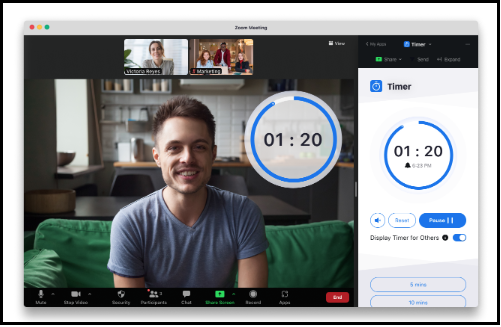
- As a user, I want to improve efficiency in our meetings and set a timer for everyone. (supplementary)
- As a user, I want to collaborate with team members in editing a document. (collaboration)
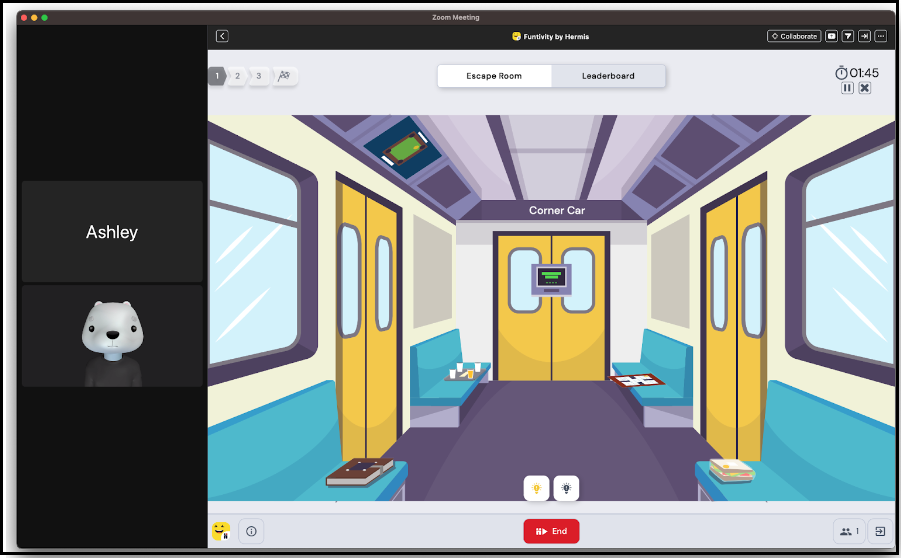
- As a user, I want to cultivate team engagement by playing a game with all the participants in the meeting. (meeting focused)
Meeting focused (in-meeting, collaboration)
Collaborate mode enables Zoom App users to instantly collaborate with other meeting participants by seamlessly bringing them together within the same app. The goal of the Collaborate mode for Zoom apps is to elevate the current screen-sharing model to be interactive from an end-user perspective by leveraging Zoom Apps. The experience is progressively enhanced, depending on the role and permissions available to the participants. When participants cannot join Collaborate mode due to account restrictions, the experience gracefully degrades to a screen-share of the initiator's app view.
A gaming app that allows all attendees to participate within the main meeting window serves the primary purpose of the meeting. All participants view the same game board but are given feedback based on their role in the game (i.e. Player 1 moved 10 steps, Player 2 is waiting for Player 1).
Supplementary
Supplementary apps enhance or add features to your meeting experience. Examples of supplementary apps:
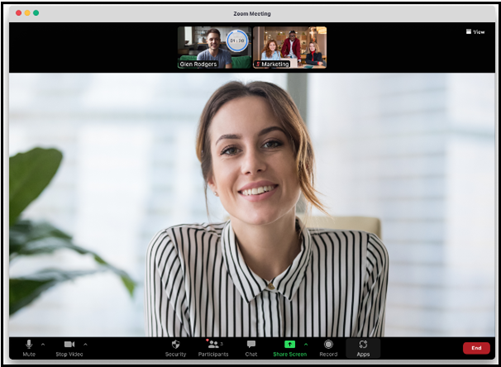
- The Timer Zoom App that helps the meeting coordinator to provide transparency on timed activities such as set break times or surveys.
- A note taking app that enables participants to take notes during meetings.
Supplementary apps can be displayed in the Zoom client's side panel (collapsed, expanded, popped-out), the right pane, or bottom toolbar.
Timer - user view
Timer - participant view
Continuity (in-meeting and outside of meeting)
Zoom Apps are accessible before, during, and after the meeting. By being able to have access to Zoom apps outside of meetings, it enables users to continue being productive.
Examples:
- Note-taking apps - users may wan to revisit or refine notes after the meeting is over.
- For gaming apps - users may want to read about the rules before the meeting and revisit the scores and summary of their previous experiences after the meeting.
- Whiteboard apps - users may want to review items after a meeting or work on items in preparation for the next meeting.