Internal apps (Server-to-server)
A Server-to-Server OAuth app enables you to securely integrate with Zoom APIs and get your account owner access token without user interaction. This is different from the OAuth app type, which requires user authentication (see Using OAuth 2.0 for details.)
Account administrators or users with role-based access permissions to create, edit, or view Server-to-Server OAuth apps can add and manage server-to-server OAuth apps. See enable permissions for details.
You can also use this app type to get event subscriptions using Webhooks.
Prerequisite
You have read Key Concepts.
Server-to-server OAuth Starter App
Use this sample app as a functional starting point for building server-to-server OAuth applications with Zoom.
Enable permissions
The administrator for a Zoom account must enable the view and edit permissions for Server-to-Server OAuth apps to a developer, as well as the appropriate permissions to add specific scopes to the app.
Enable the Server-to-Server OAuth role
In the Zoom web portal, the administrator must go to User Management > Roles > Role Settings > Advanced features and select the View and Edit check boxes for Server-to-Server OAuth app. See Using role management for details.

Assign permissions to access scopes
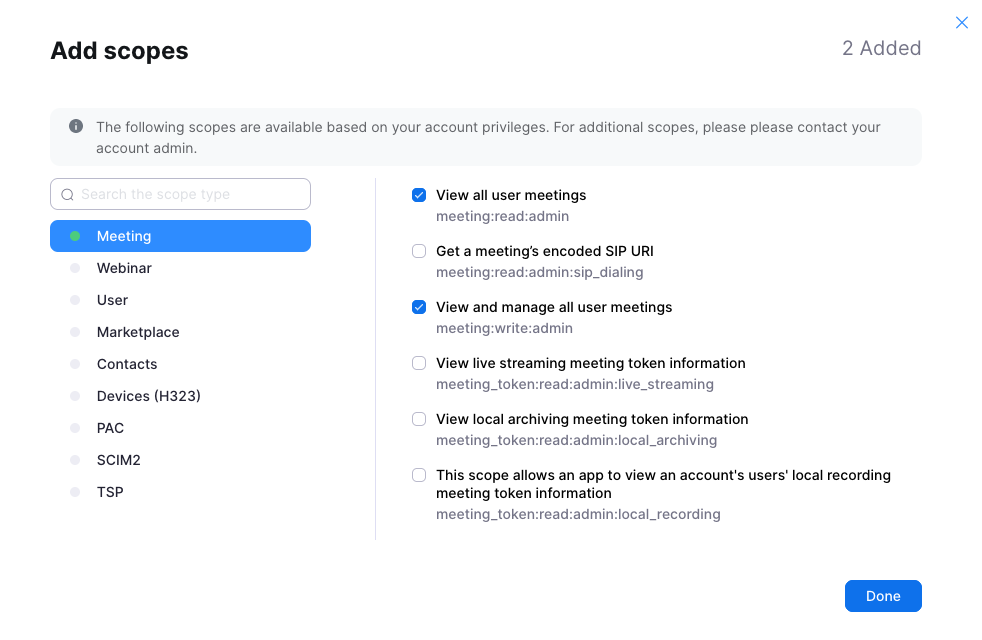
The administrator must also assign the appropriate permissions to the developer to enable them to choose these scopes when they create the server-to-server OAuth app.
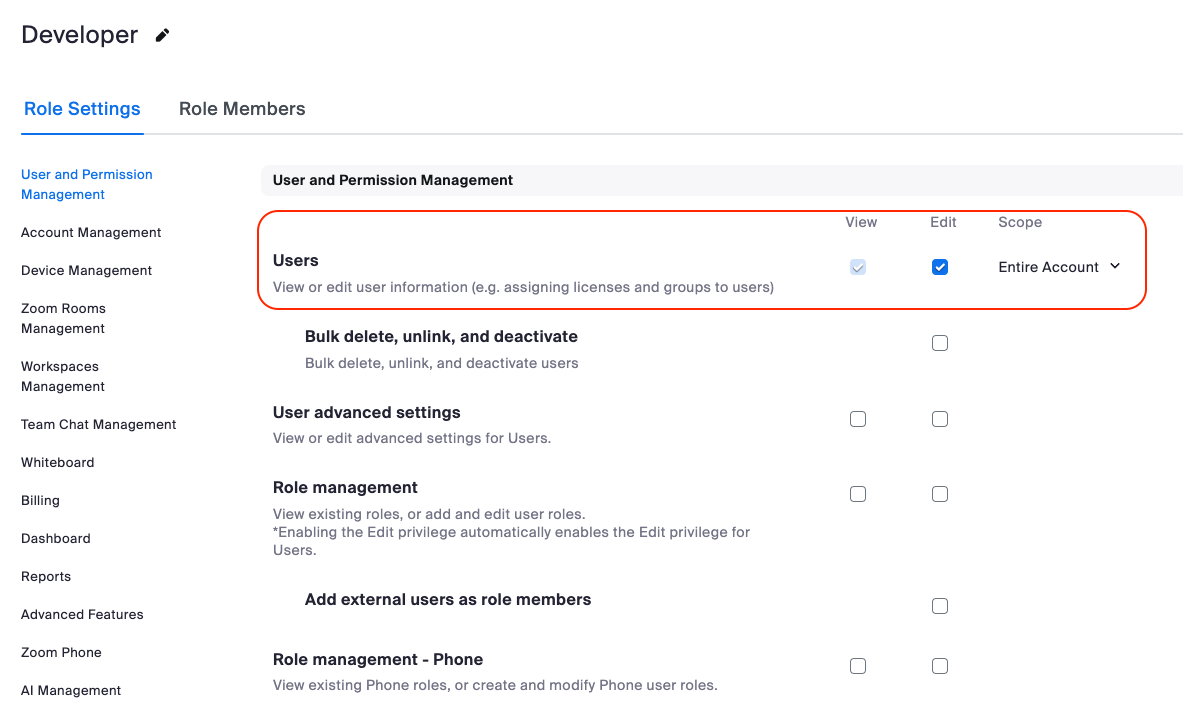
For example, if a developer wants to use the View all user meetings and View and manage all user meetings scopes:
The administrator must add the View and Edit Users permissions to their role: