Add scopes
The primary method to get users' entitlements is to use the Get app user entitlements API endpoint to check that the user is entitled to the paid features.
Note
You only need to implement the entitlements scope for paid pricing plans. It is not required for free plans.
Prerequisite
- You have set up a payment account.
- You have created a user-managed general app.
- You have created at least one pricing plan.
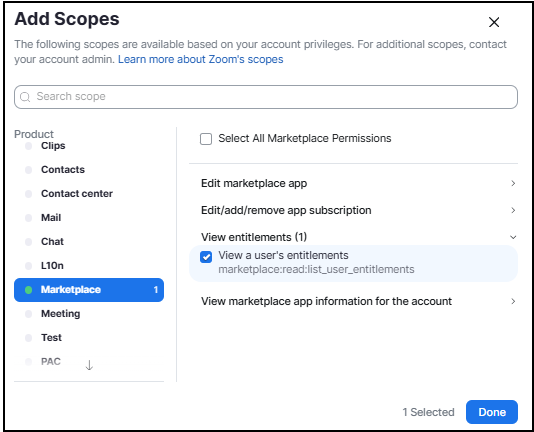
To enable the app's use of the Get app user entitlements, you must add the View a user's entitlements scope.
In the build flow navigate to Scopes page in the Production view. Select Marketplace, then select View a user's entitlements, and then Done.