# Cobrowse SDK adds remote scrolling, multi-tab session persistence & NPM support
We have a new release for the Cobrowse SDK that introduces new features to level up your customer support experience. We'll cover the latest additions that make the Cobrowse SDK even more versatile and user-friendly in this blog.
## Remote scrolling assistance
Remote scrolling assistance allows the agent to scroll the webpage for the customer. To enable the feature, add the remoteAssist object to your settings like so:
```js
// customer code
const settings = {
remoteAssist: {
enable: true,
enableCustomerConsent: true,
remoteAssistTypes: ["scroll_page"],
},
};
const startSession = () => {
ZoomCobrowseSDK.init(settings, function ({ success, session, error }) {
if (success) {
session.on("pincode_updated", (payload) => {
console.log("pincode_updated", payload);
});
session.start({
customPinCode: "{YOUR_PIN}",
sdkToken: token,
});
} else {
console.log("ERROR", error);
}
});
};
```
By default when the agent selects this feature, the customer is shown a pop-up to share their consent. Only after the customer allows for scrolling the feature is enabled
## Multi-tab session persistence
Multi-tab session persistence allows the Agent SDK to follow the customer when they are navigating across new and existing tabs. This feature is currently only supported in the CDN version of the SDK and is disabled by default. To enable this feature, add the allowSessionContinuation object to your settings:
```js
// customer code
const settings = {
multiTabSessionPersistence: {
enable: true,
stateCookieKey: "xyz",
},
};
ZoomCobrowseSDK.init(
{
allowSessionContinuation: {
// Whether to enable session continuation, the default is false.
enable: true,
// The cookie key for session continuation, the default is '$$ZCB_SESSION$$'(base64 encoded).
stateCookieKey: "test",
},
},
function ({ success, session, error }) {
if (success) {
// ZoomCobrowseSDK is ready to use now
session.start({
sdkToken: "{SDK_TOKEN}",
});
} else {
console.log(error);
}
},
);
```
When launching a new tab or navigating to an existing tab, the SDK will use the generated cookie stored in the customer browser to automatically reconnect to the current tab and exit from the previous tab. The new tab's url must be a domain owned by the customer and must call the SDK `init()` method with the same settings passed in order to trigger the reconnect:
```js
// customer code new tab
const settings = {
multiTabSessionPersistence: {
enable: true,
stateCookieKey: "xyz",
},
};
ZoomCobrowseSDK.init(settings);
```
## Availability on NPM
We continue to offer the SDK hosted on the Zoom CDN and this is the recommended approach for most developers. But based on your feedback, customers that are using the [(Bring-Your-Own-Pin)](/docs/cobrowse-sdk/byop/) feature can now install the SDK through [NPM](https://www.npmjs.com/package/@zoom/cobrowsesdk) if needed.
Use this command to install the SDK:
`$ npm install @zoom/cobrowsesdk --save`
You can then import the SDK into your project. After importing, the `init()` function and the Cobrowse session setup is the same as the CDN flow. For brevity, only the revelant lines of code are included in the following snippets:
```js
// customer code
import { ZoomCobrowseSDK } from '@zoom/cobrowsesdk/customer';
const settings = {
...
};
const startSession = () => {
ZoomCobrowseSDK.init(settings, ({success, session, error}) => {
if (success) {
const sessionInfo = session.getSessionInfo();
if (sessionInfo.sessionStatus === 'session_recoverable'){
session.join();
} else {
session.start({
customPinCode:'{YOUR_PIN}',
sdkToken: token,
});
}
} else {
console.log("ERROR", error);
}
});
};
```
For the agent code, you must provide your SDK Key and a target element for the SDK to insert the Cobrowse session. The Cobrowse session will fit the element dimensions.
```js
// agent code
import { ZoomCobrowseAgentSDK } from "@zoom/cobrowsesdk/agent";
const settings = {
appKey: ZOOM_SDK_KEY,
zoomAppRoot: el,
};
const joinSession = () => {
ZoomCobrowseAgentSDK.init(settings, ({ success, session, error }) => {
if (success) {
const sessionInfo = session.getSessionInfo();
if (sessionInfo.sessionStatus === "session_recoverable") {
session.join();
} else {
session.join({
pinCode: "{YOUR_PIN}",
sdkToken: token,
});
}
} else {
console.log(error);
}
});
};
```
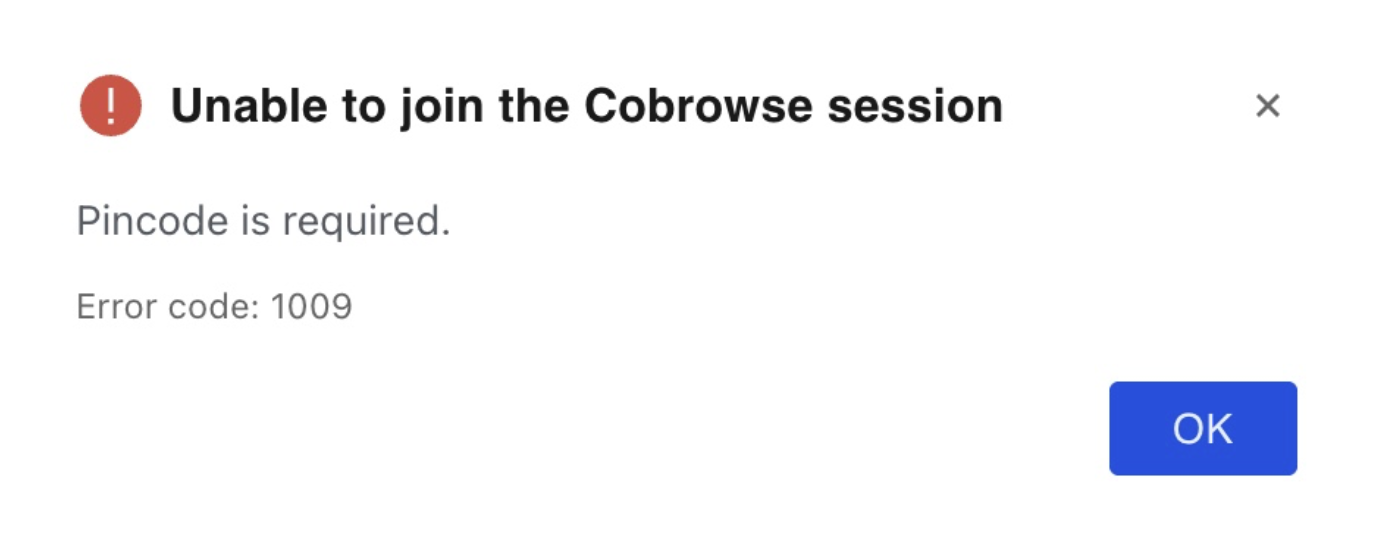
>
> Note: BYOP must be used when importing the SDK via NPM. When trying to
> start a NPM cobrowse session with no custom pin you will get an error
>
We're working hard on making your customer support experience the best possible. We hope you enjoy using these new and exciting features!